Mobile App Development: A Practical Guide for Businesses
Mobile app development is the process of turning a business problem into a mobile product that is designed, engineered, tested, released, and maintained for phones or tablets. For a company, the right approach starts with a validated user need and a narrow first release—not with a technology choice. A practical project usually covers product discovery, UX and UI design, frontend and backend development, integrations, security, store submission, analytics, and ongoing improvements.
What Mobile App Development includes
A mobile app is more than a set of screens installed from an app store. It is a connected product with a client application, data services, operational processes, and a plan for change. A field-service app, for example, may let technicians view assignments, capture photos, work offline, collect signatures, and synchronize updates with an existing business system. Each capability creates design, engineering, and support obligations.
The work generally has four connected layers:
- Product layer: the users, jobs, business outcomes, permissions, and rules the app must support.
- Experience layer: navigation, interaction patterns, accessibility, error handling, onboarding, and visual design.
- Application layer: the mobile client, APIs, authentication, databases, notifications, and integrations.
- Operations layer: analytics, monitoring, release management, support, privacy, and future versions.
These layers explain why a seemingly small request can expand. “Add delivery tracking” may require location permissions, a map provider, background activity rules, driver and customer views, event storage, notification logic, and a privacy explanation. Scope is measured in workflows and system behavior, not only in the number of screens.
Native, cross-platform, or web-based?
Native development uses the platform’s primary tools and languages, such as Swift and SwiftUI for Apple platforms or Kotlin and Jetpack Compose for Android. It gives a team direct access to platform conventions and APIs, but it usually means maintaining more than one client codebase.
Cross-platform development uses a shared application layer for iOS and Android. Frameworks such as React Native can be a sensible option when a product has substantial shared workflows and the team wants to reuse domain logic and interface components. Native modules may still be needed for advanced camera, Bluetooth, payment, media, or background-processing requirements.
A responsive web application or progressive web app can be the better answer when distribution through an app store is not essential, users primarily work in a browser, or the product is an internal dashboard. It becomes less suitable when the product depends heavily on device capabilities, reliable offline behavior, or frequent mobile notifications.
A useful decision is not “Which framework is most popular?” It is:
- Which device capabilities are essential?
- How much of the product can genuinely be shared?
- Does the business need app-store distribution?
- Will the product work with intermittent connectivity?
- Which platforms must be supported at launch and later?
Why the product approach matters to a business
Businesses often commission an app because a mobile workflow is slower, less visible, or more error-prone than it should be. A sales representative may need customer information away from a desk. A member may need a faster way to book a service. A manufacturer may need operators to report incidents from the shop floor. The app matters when it changes one of those workflows measurably.
Start with the job, not the feature list. A request for “a loyalty app” might actually mean that a retailer needs identifiable customers, targeted offers, and a faster checkout process. A request for “a customer portal app” might be solved initially by appointment reminders, document access, and secure messaging rather than a full account-management suite.
For a SaaS company, a mobile client may extend an existing product rather than create a new business model. That changes the architecture: the web application, mobile app, and administrative tools should consume consistent APIs and enforce the same permissions. For an organization replacing spreadsheets, the difficult part may be data quality and approval rules rather than the interface.
Define success before building
A usable objective connects a user action to a business result. “Launch an app” is a delivery milestone, not a product outcome. Better objectives describe what should become easier, faster, more reliable, or more visible.
Illustrative examples include:
- Enable a service technician to complete a job report in under 5 minutes instead of using a paper form.
- Allow a customer to reschedule an appointment in 3 steps without calling support.
- Give managers a same-day view of open incidents, assigned owners, and overdue actions.
- Reduce duplicate data entry by sending approved mobile submissions into the existing CRM.
These are starting policies for product planning, not universal performance benchmarks. Teams should establish their own baseline using interviews, current process timings, support data, and analytics. If nobody can explain how success will be observed, the project is not ready for a large build.
UX decisions also affect adoption. A visually polished application can still fail if its permissions are confusing, its first-use experience is slow, or it asks users to repeat information already held by the business. Apple’s Human Interface Guidelines document platform-specific interaction and accessibility considerations; they are a useful reference when a design team is deciding whether a custom pattern is worth the cognitive cost.
For companies starting with a broader digital presence, mobile behavior should also be considered alongside the website and service journey. Work on izrada web stranica u Zagrebu or web dizajn Zagreb can reveal whether a dedicated app is necessary or whether a responsive web experience should come first.
How a mobile app project works from idea to release
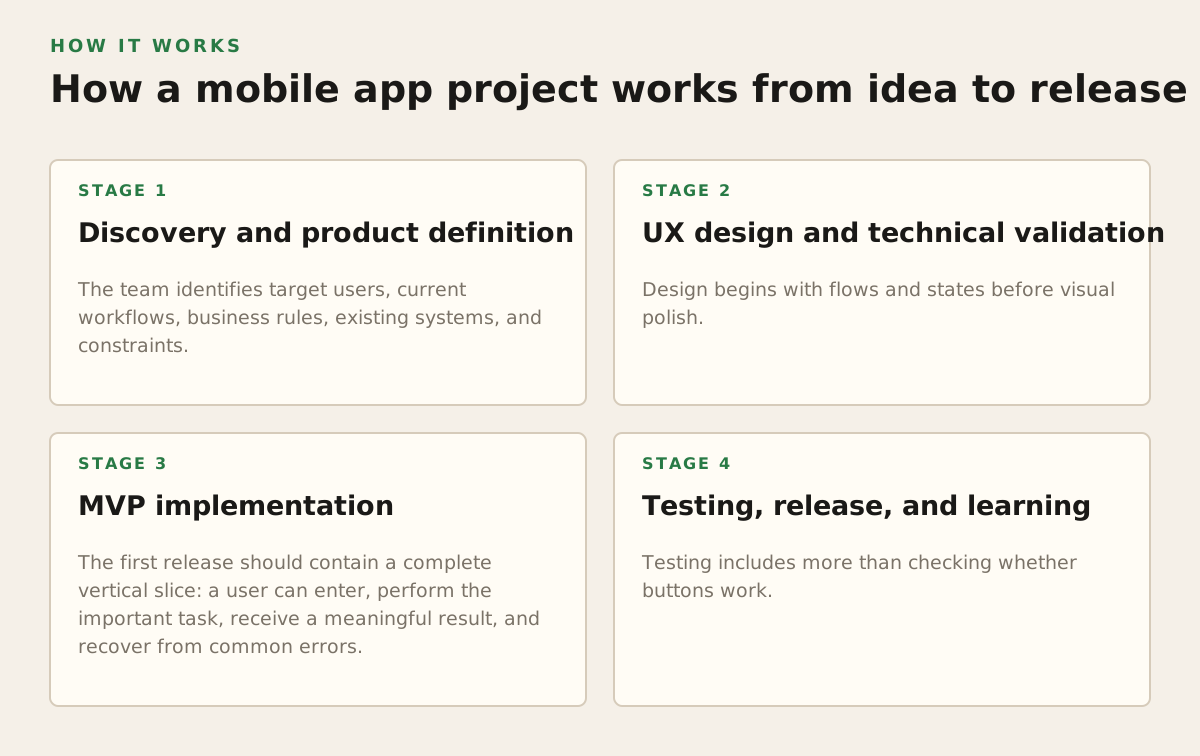
A reliable project is an evidence-building sequence. Each stage reduces a different type of uncertainty: user demand, workflow complexity, technical feasibility, or operational risk. Skipping discovery does not remove the work; it moves expensive decisions into development.
1. Discovery and product definition
The team identifies target users, current workflows, business rules, existing systems, and constraints. Interviews should focus on actual behavior: what users do today, where information is lost, which exceptions occur, and what they do when the system is unavailable.
The output should include a prioritized problem statement, user journeys, a first-release scope, assumptions to validate, and a rough technical model. It should also identify roles such as customer, employee, manager, administrator, and support agent. Each role may see different records and actions.
2. UX design and technical validation
Design begins with flows and states before visual polish. A payment screen needs loading, declined, cancelled, and retry states. A field app needs offline, partial-sync, and conflict states. An onboarding flow needs permission denial and account recovery paths.
A clickable prototype can expose navigation problems before engineering starts. In parallel, developers should investigate the riskiest technical assumptions: device integration, legacy APIs, authentication, large file uploads, offline synchronization, or an unusual business rule.
Prototype uncertainty, not decoration. A technical spike may be more valuable than another round of visual refinement if the product depends on a device capability or an unreliable external service.
3. MVP implementation
The first release should contain a complete vertical slice: a user can enter, perform the important task, receive a meaningful result, and recover from common errors. Building only isolated screens creates false progress because the API, data model, permissions, and analytics remain unproven.
Typical implementation work includes:
- Mobile navigation, forms, local state, caching, and platform-specific behavior.
- Backend endpoints, data storage, authentication, roles, and audit events.
- Integrations with payments, CRM, ERP, maps, messaging, identity, or content systems.
- Analytics events for activation, key actions, failures, and retention-related behavior.
- Automated checks plus testing on representative devices and operating-system versions.
For a product with an existing web backend, the mobile client should not quietly bypass established permissions or business rules. A shared API contract and explicit error model reduce surprises between frontend and backend teams. For a new system, the team should decide early which data must be available offline and how conflicting edits will be resolved.
4. Testing, release, and learning
Testing includes more than checking whether buttons work. It covers network interruptions, expired sessions, denied permissions, keyboard behavior, screen sizes, accessibility, performance under realistic data, and upgrade paths. Security testing should consider credential storage, authorization, sensitive logs, deep links, and insecure local data.
The OWASP Mobile Application Security Verification Standard provides a structured reference for mobile security controls. It does not replace a threat model, but it helps teams turn vague requirements such as “make it secure” into reviewable areas.
Release preparation includes store metadata, screenshots, privacy disclosures, support contacts, versioning, crash monitoring, and a rollback or mitigation plan. Apple’s App Review Guidelines explain review expectations and are particularly relevant when an app uses accounts, payments, user-generated content, health-related data, or sensitive permissions. Requirements can change, so teams should verify them for the intended submission in 2026 rather than rely on an old checklist.
After launch, analytics should answer product questions rather than collect everything by default. Useful events might show where users abandon onboarding, which form field causes errors, or whether a new workflow is completed. A release is a learning point, not the end of development.
Where mobile app projects break down
Most expensive failures are caused by decisions made too late. The warning signs are usually visible in planning, but teams often treat them as implementation details.
Overbuilding the first version
A first release that includes every requested integration, role, report, and customization becomes difficult to validate. More scope also means more permissions, edge cases, test combinations, and support obligations. A smaller product can be more useful if it completes one important workflow end to end.
Use a prioritization test for every proposed capability:
- Which user problem does it solve?
- What decision or action does it enable?
- What happens if it is postponed?
- Which backend, security, or support work does it introduce?
- What evidence would justify adding it now?
“Must have” should describe a dependency or a launch-critical job, not a stakeholder preference.
Ignoring offline and failure states
Mobile connectivity changes. Users move between networks, enter elevators, travel, or work in buildings with poor reception. If an app is used in those conditions, the team must decide what remains readable, what can be edited, how submissions are queued, and how synchronization conflicts are presented.
For example, a delivery worker may create a proof-of-delivery record while offline. The app should show that the record is pending, prevent accidental duplication, retry safely, and tell the worker if a later server validation rejects it. A spinner that eventually fails is not an offline strategy.
Underestimating privacy, permissions, and store constraints
Permissions are part of the product experience. Asking for location before explaining the benefit can reduce trust; requesting contacts when they are not essential creates unnecessary risk. Teams should map every sensitive data element to a purpose, retention rule, access role, and deletion process.
Store rules are another constraint. Google’s Google Play Developer Program Policies cover areas including user data, permissions, deceptive behavior, and restricted content. The relevant policy depends on the app’s behavior, and compliance should be reviewed before implementation is locked.
Common operational omissions include:
- No owner for store accounts, certificates, signing keys, or release approvals.
- No support route for account recovery and privacy requests.
- No monitoring for failed API calls, crash patterns, or synchronization errors.
- No plan for dependency updates and operating-system changes.
- No documented process for removing a user’s data or disabling an account.
These issues do not always block the first demo, but they can block a real release or make a released product unsafe to operate.
How practitioners choose an approach and manage delivery
A business should choose its delivery model from product constraints, internal capability, and the expected life of the product. A short-lived event companion has different requirements from a regulated workflow used every day. An employee app with controlled devices differs from a public consumer app with unknown hardware, network conditions, and accessibility needs.
A practical decision record should cover:
- Audience and reach: public customers, employees, partners, or a controlled pilot.
- Platform scope: iOS, Android, tablets, web, or a staged combination.
- Device needs: camera, location, Bluetooth, biometrics, notifications, files, or background tasks.
- Data and integration: systems of record, ownership, synchronization, permissions, and retention.
- Delivery capability: product owner, design, frontend, backend, QA, DevOps, and support responsibilities.
- Change plan: analytics, feedback loops, release cadence, maintenance, and budget ownership.
For an early-stage SaaS product, a shared cross-platform client may be a sensible starting point if most workflows and interface behavior are common. For an application that depends on advanced platform APIs or demanding graphics, native components may justify the additional investment. For an internal approval workflow used occasionally, a responsive web application may reach users faster with less distribution overhead.
These are not permanent decisions. Teams can start with a web experience, add a mobile client for the highest-value workflow, and introduce native modules only where evidence supports them. The important constraint is to avoid creating three loosely connected products with different permissions, terminology, and business rules.
Architecture should also match the organization’s ability to maintain it. A technically elegant system that nobody can monitor or update is a poor business decision. Conversely, a deliberately simple first version can be extended when usage, support issues, and integration needs are understood.
For an agency engagement, ask for concrete outputs rather than a promise to “build an app.” A strong proposal should make clear:
- Which user journeys are included in the first release.
- Which devices, operating systems, and integrations are supported.
- How design decisions, API contracts, testing, analytics, and security reviews are handled.
- What the client must provide, including access to systems, content, decision-makers, and store accounts.
- What happens after launch: monitoring, fixes, updates, and product iteration.
The best starting point is a bounded product decision. Define one valuable workflow, validate its constraints, design its failure states, and build a release that can be measured. Then expand based on evidence instead of turning an untested feature catalogue into a long-term maintenance burden.
Adapt IT helps businesses shape and build connected digital products across frontend, backend, UI/UX, mobile, and AI-enabled workflows. If you need to turn a mobile product idea into a realistic scope and implementation plan, Adapt IT can be the next step.
Authored with NotFair SEO