Web Development Introduction: How to Plan, Build, and Budget a Web Project
A web development introduction should give a business more than a list of technologies: it should explain how a website or web application turns business requirements into a secure, usable product. In practice, that means defining the job to be done, choosing an appropriate architecture, estimating effort by deliverable, and validating the result with real users before launch. The same principles apply whether you need a marketing website, SaaS platform, customer portal, dashboard, or AI-enabled workflow.
What web development includes
Web development is the work of designing, building, integrating, testing, deploying, and maintaining software that runs through a web browser. A simple company website may combine a content management system with a custom frontend. A business application usually adds authentication, databases, permissions, APIs, background jobs, monitoring, and operational workflows.
The term therefore describes a delivery discipline rather than one tool. HTML, CSS, JavaScript, React, Next.js, Python, PHP, databases, and cloud services are implementation choices. They do not define the product by themselves. The right choice depends on the users, data, integrations, security needs, publishing workflow, and expected change rate.
The main layers of a web product
- Frontend: the screens, interactions, forms, navigation, responsive behavior, and accessibility experienced by users.
- Backend: business rules, authentication, permissions, APIs, calculations, notifications, and connections to other systems.
- Data layer: databases, file storage, search, backups, retention rules, and the relationships between records.
- Infrastructure: hosting, deployment pipelines, domains, environments, logs, monitoring, and recovery procedures.
- Product and design: information architecture, user flows, visual systems, content, analytics, and decisions about what not to build.
For example, a property company may need a public site with searchable listings, an editor dashboard, lead routing, and analytics. The public pages are only one part of the system; the quality of the internal workflow can determine whether the investment produces useful leads. For a SaaS startup, the core challenge may instead be multi-tenant data isolation, subscription logic, onboarding, and a reliable path from trial to paid account.
Teams often use a framework such as React or Next.js to organize the frontend and server-rendered experiences. Framework documentation explains implementation behavior, but it cannot decide whether a feature belongs in the first release. That decision comes from product priorities and evidence. For technical reference, the MDN Web development learning area separates the web platform fundamentals from the tools built on top of them.
Why the definition matters to a business
The most expensive misunderstanding is treating a web project as a collection of pages when it is actually a set of business processes. A brochure site, an ecommerce storefront, and a regulated case-management portal may all open in a browser, but their risks and delivery methods are different.
Start with the outcome, not the feature list
Translate a request such as “we need a new website” into an observable outcome: more qualified inquiries, fewer support calls, faster quote preparation, self-service account management, or a shorter internal approval cycle. Then identify the user action that should create that outcome.
- A lead-generation site might optimize for clear service pages, trustworthy proof, fast forms, and CRM routing.
- A customer portal might prioritize authentication, account data, permissions, document access, and useful notifications.
- A SaaS product might need onboarding, workspace creation, billing boundaries, audit events, and a repeatable core workflow.
- An AI feature might require data preparation, permission-aware retrieval, human review, and a way to measure incorrect outputs.
This framing prevents a common failure: spending the budget on visible interface changes while leaving the underlying workflow unchanged. A visually polished dashboard that cannot import clean data or explain permission rules is not a finished business product.
Choose the smallest useful first release
A minimum viable product is not a deliberately poor version. It is the smallest release that tests a meaningful business assumption. For a B2B portal, that might mean one user role, one approval path, and one document type rather than six departments and every possible exception.
Write down what the first release will prove and what it will postpone. Useful boundaries include:
- the user group included in the first release;
- the single primary workflow and its completion criteria;
- the data sources and integrations required for that workflow;
- features explicitly deferred, such as advanced reporting or granular permissions;
- the evidence that would justify expanding scope after launch.
This is also where content and design become technical concerns. Clear labels can reduce support demand; a well-structured form can improve data quality; a sensible navigation model can reduce development of duplicate screens. If the project depends heavily on user journeys and visual hierarchy, a focused web dizajn Zagreb process should precede detailed implementation.
How a web project works from idea to operation
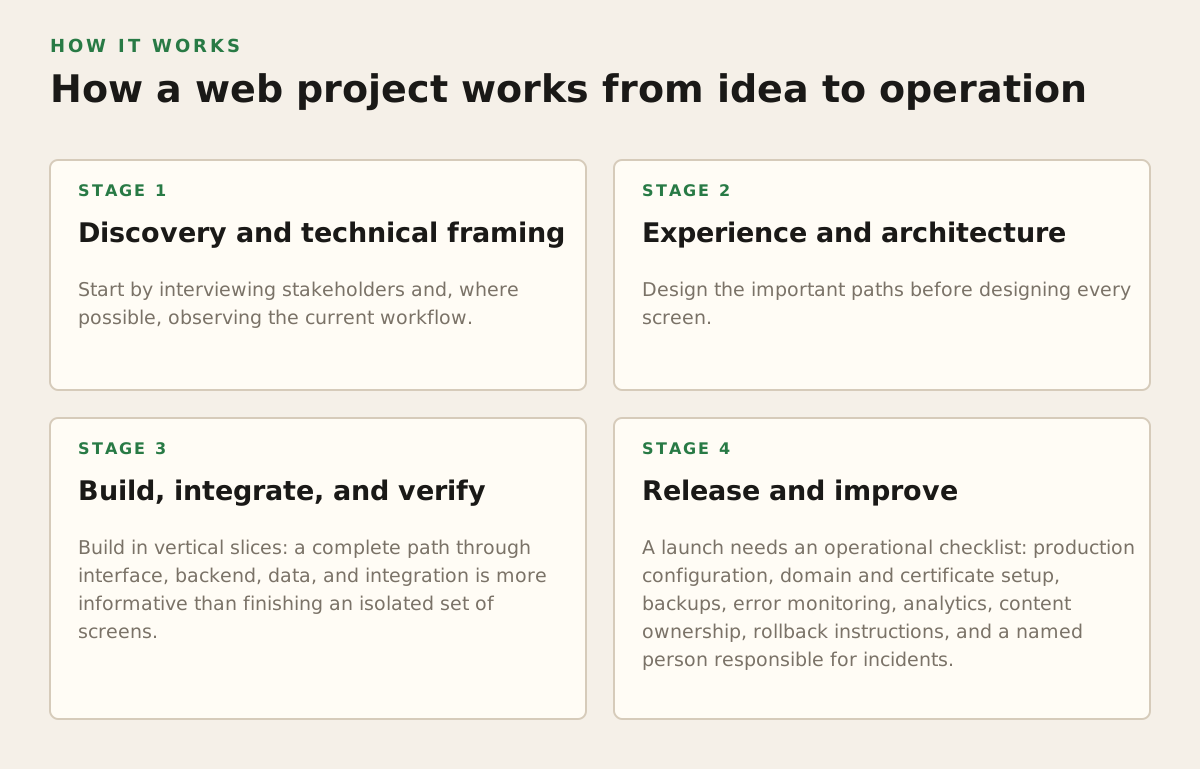
A predictable process does not remove uncertainty; it exposes uncertainty early, when changing direction is cheaper. The stages below can overlap, but each should produce a decision or an artifact that the next stage can use.
1. Discovery and technical framing
Start by interviewing stakeholders and, where possible, observing the current workflow. Document users, jobs, constraints, existing systems, data ownership, success measures, and non-functional requirements such as accessibility, performance, security, and availability.
The output should be more concrete than meeting notes: a prioritized backlog, user flows, a system context diagram, assumptions, and open questions. If an integration is critical, verify its API, authentication method, data limits, error behavior, and test environment before promising it in a release.
2. Experience and architecture
Design the important paths before designing every screen. For a quote-request application, map the path from request creation to review, revision, approval, and notification. Then decide where each rule belongs: in the interface for immediate feedback, in the backend for enforcement, or in both.
Architecture should reflect the product’s constraints. A content-led marketing site may benefit from a CMS and strong search visibility. A data-heavy application needs deliberate API boundaries and a data model. A platform with several organizations needs tenant isolation and permission rules designed before large amounts of data exist.
Search visibility also has an implementation dimension. Google’s SEO Starter Guide covers fundamentals such as crawlable links, descriptive page content, and making pages understandable to search engines. These are not substitutes for valuable content, but they belong in the technical plan rather than being treated as a final cosmetic task.
3. Build, integrate, and verify
Build in vertical slices: a complete path through interface, backend, data, and integration is more informative than finishing an isolated set of screens. A slice might allow a user to create a request, save it, see its status, and trigger the relevant notification.
Verification should include more than whether the happy path works. Test validation, permissions, empty states, duplicate submissions, failed integrations, slow connections, keyboard navigation, mobile layouts, and recovery after an interrupted action. For security planning, the OWASP Application Security Verification Standard provides a structured reference for application security requirements and verification.
4. Release and improve
A launch needs an operational checklist: production configuration, domain and certificate setup, backups, error monitoring, analytics, content ownership, rollback instructions, and a named person responsible for incidents. After launch, review real usage and support questions against the original outcome.
Performance is part of that review. Google’s Web Vitals guidance explains user-focused loading, interactivity, and visual stability measures. The practical lesson is to define which journeys matter—for example, landing on a service page or opening an authenticated dashboard—rather than treating one aggregate score as the entire product.
How to estimate web development cost
There is no responsible universal price for “a website” because the same page count can hide radically different effort. A five-page site with approved copy and no integrations is a different project from a five-page site with localization, a custom editor, CRM synchronization, role-based access, and migration from an old system.
Use an effort model instead of a page count
Estimate each work package, assign an effort range, and make assumptions visible. A practical model is:
Total project budget = planned effort × blended rate + external costs + contingency
Planned effort should include discovery, UX, UI design, frontend, backend, content or migration, integrations, QA, project management, deployment, and handover. External costs may include hosting, email delivery, payment services, licensed assets, translation, or specialist audits. The team’s rate and the external costs must come from the selected provider and services; they should not be guessed from a generic online average.
Use the following as an illustrative planning example, not a market quote. Suppose a company has agreed a blended delivery rate of €80 per hour with a provider:
- Discovery and UX: 45 hours × €80 = €3,600.
- UI design and design system: 55 hours × €80 = €4,400.
- Frontend and responsive implementation: 120 hours × €80 = €9,600.
- Backend, CMS, and one integration: 110 hours × €80 = €8,800.
- QA, release, and handover: 35 hours × €80 = €2,800.
- Subtotal: €29,200; a 15% planning contingency would make the working budget €33,580.
The arithmetic is not a prediction of what your project should cost. It demonstrates how to expose assumptions. If the integration is undocumented, the content is not ready, or permissions are undecided, the uncertainty belongs in the estimate rather than being hidden inside a fixed promise.
Identify the cost drivers
Ask a provider to show which variables move the estimate. The largest drivers are usually:
- Scope complexity: number of workflows, roles, states, exceptions, and business rules.
- Data and integrations: migration quality, API maturity, synchronization frequency, and error handling.
- Design depth: reusable components and core journeys versus many unique templates and interactions.
- Quality requirements: accessibility, security review, performance targets, uptime expectations, and auditability.
- Content and localization: copywriting, translation, structured content, media preparation, and approval cycles.
- Operating model: ongoing support, analytics, hosting responsibility, maintenance, and future release capacity.
Compare proposals by deliverables and assumptions, not only by total. A lower initial number may exclude migration, QA, accessibility work, analytics, or post-launch fixes. Request a change-control rule: what counts as an included refinement, what creates a change request, and how added effort is approved.
Where web projects break down
Most failures are not caused by choosing React instead of another framework. They come from unresolved product decisions, weak ownership, or treating operational work as someone else’s problem.
Scope grows through exceptions
“The basic flow” often hides the difficult cases: a user changes organization, an approval is rejected, a payment fails, an imported record is incomplete, or two people edit the same item. Capture these cases in acceptance criteria and estimate them explicitly. A rule that is vague in a meeting will become expensive during implementation.
Ownership is unclear
Decide who supplies content, approves designs, answers domain questions, owns third-party accounts, and signs off the release. A project can appear technically complete while remaining blocked because nobody can approve legal text, map legacy data, or define what a report should mean.
Security and quality arrive too late
Authentication is not the same as authorization. A user being logged in does not mean they may view every record or perform every action. Define roles, resource ownership, sensitive fields, logging, password or identity-provider behavior, and recovery procedures early.
Likewise, accessibility should not be a final visual inspection. Semantic structure, keyboard operation, focus behavior, labels, contrast, and error messages affect component design. The W3C Web Accessibility Initiative’s WCAG resources provide the authoritative standards context; the project still needs a clear target level and test plan.
AI is added without a control system
For AI-enabled products, the feature is not complete when a model returns text. Plan for source data, permission filtering, prompt or workflow versioning, uncertainty, human review, logging, and correction. Do not expose confidential records to a model or retrieval system until data access rules and provider terms have been reviewed for the actual use case.
How practitioners choose an approach and provider
Choose the delivery approach according to uncertainty and internal capacity. A no-code or low-code tool may be appropriate for a stable, narrow workflow where speed and administrative simplicity matter. A CMS-led build can suit a content-heavy organization. Custom development becomes more defensible when the workflow, integrations, data model, or user experience differentiates the business.
For an external partner, evaluate evidence that maps directly to your risk:
- Can the team explain a comparable workflow, not merely show attractive screens?
- Will you receive source code, deployment access, documentation, and ownership of accounts?
- How are requirements, acceptance criteria, testing, and change requests recorded?
- Who handles production incidents, updates, backups, and security fixes after launch?
- Can the team support both frontend experience and backend or integration constraints?
Ask for a short discovery phase when the answers are not yet known. Its purpose is to reduce uncertainty and create a defensible scope, not to delay the build indefinitely. For companies comparing local and distributed options, a focused izrada web stranica u Zagrebu engagement may be useful when direct collaboration, product thinking, and implementation support are all required.
For a business website, prioritize message clarity, content ownership, search foundations, conversion paths, and maintainability. For a web application, prioritize the core workflow, permissions, data integrity, integration behavior, and observability. For a SaaS or AI product, add tenant boundaries, billing or usage rules, evaluation methods, and a credible operating model.
The practical recommendation is to begin with a defined outcome, one primary user journey, a written first-release boundary, and an estimate that exposes assumptions by work package. Adapt IT can help organizations shape and build websites, web applications, mobile products, and AI-enabled software across frontend, backend, UI/UX, and product development; learn more through Adapt IT.
Authored with NotFair SEO